Restricting ReadOnlyAccess for Sensitive AWS Resources
Last updated: April 22, 2025
Overview
When integrating with our platform, we require that customers attach the AWS-managed ReadOnlyAccess IAM policy to a user or role. This policy allows us to perform a non-intrusive, read-only assessment of your AWS environment.
However, we understand that certain resources may be considered sensitive, and you may not wish to share even read-only access to them.
Using Deny Rules to Protect Sensitive Resources
AWS IAM policy evaluation always gives priority to explicit Deny statements, even if another policy allows the action.
This means you can:
Attach the required
ReadOnlyAccessmanaged policyAdd a custom policy to explicitly deny access to specific services, resources, or data
This ensures compliance with our integration requirements while giving you full control over sensitive resources.
Step-by-Step: Creating a Deny Policy in IAM
Follow these steps to create and attach a deny policy:
1. Go to IAM > Policies and Click “Create policy”
Screenshot 1: IAM Console > Policies > Create policy

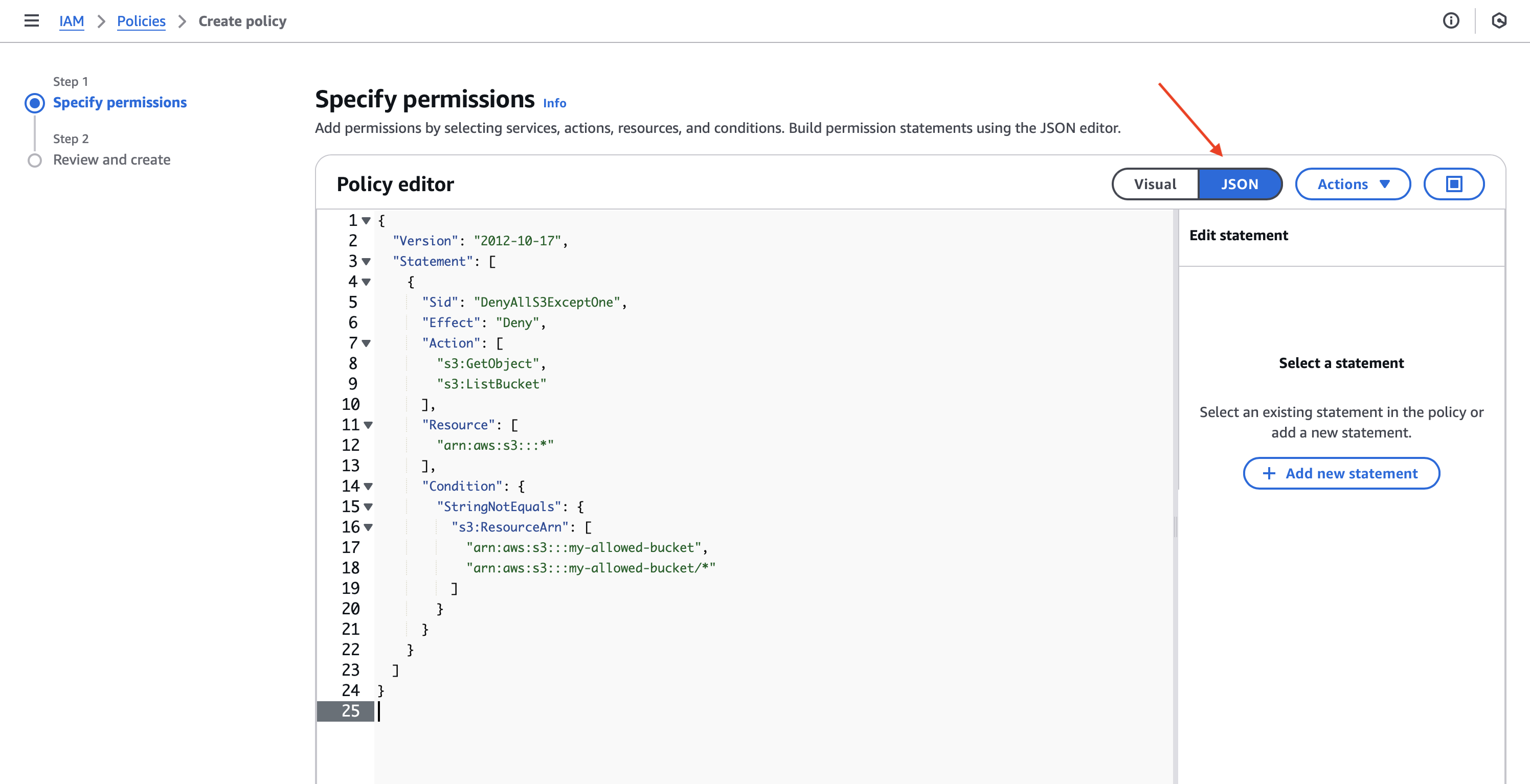
2. Choose the “JSON” tab and paste the Deny policy
Here’s an example that denies access to a specific S3 bucket:
{
  "Version": "2012-10-17",
  "Statement": [
    {
      "Sid": "DenyAllS3ExceptOne",
      "Effect": "Deny",
      "Action": [
        "s3:GetObject",
        "s3:ListBucket"
      ],
      "Resource": [
        "arn:aws:s3:::*"
      ],
      "Condition": {
        "StringNotEquals": {
          "s3:ResourceArn": [
            "arn:aws:s3:::my-allowed-bucket",
            "arn:aws:s3:::my-allowed-bucket/*"
          ]
        }
      }
    }
  ]
}
Screenshot 2: JSON editor with the policy pasted
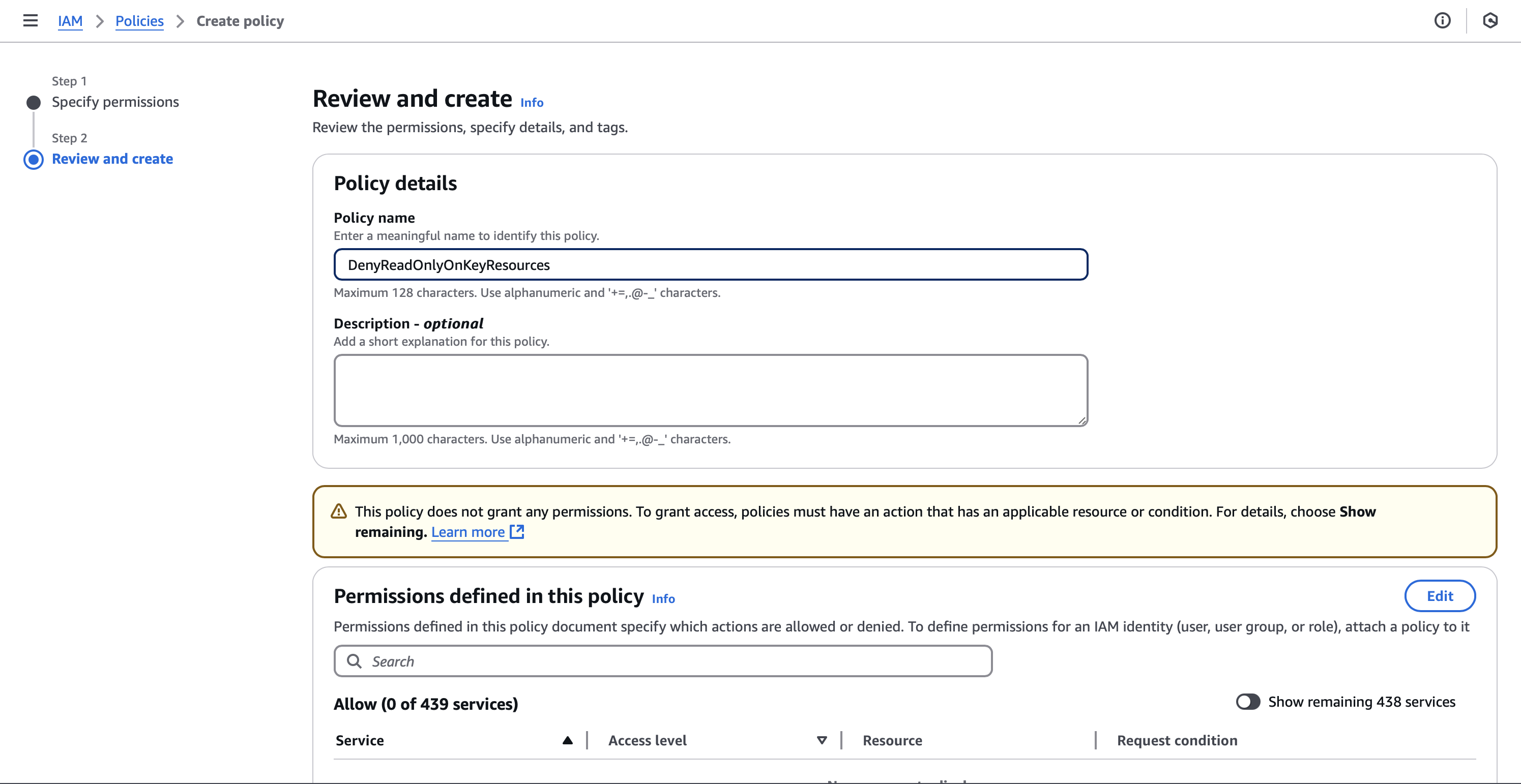
3. Click “Next,” give your policy a name (e.g., DenyReadOnlyOnKeyResources), and create the policy
Screenshot 3: Naming and reviewing the policy
4. Attach the new Deny policy to the same IAM user or role that has ReadOnlyAccess
Go to the IAM user or role, choose the “Permissions” tab, and attach the deny policy.
Summary
The
ReadOnlyAccessmanaged policy is required to enable integration with our platform.You may attach additional custom policies that explicitly deny access to sensitive resources.
AWS IAM always enforces explicit deny rules, so you maintain full control over what is shared.
If you need help crafting or applying a Deny policy for your environment, our support team is happy to assist.