Revamped Dashboard Sidebar
Last updated: January 16, 2026
Navigating Your Astra Security Dashboard
Your dashboard’s sidebar is built around a product-focused workflow, helping you quickly access global functions, choose specific assets, and dive into the tools for each security product you use. It comprises three sections: the main menu, a target switcher, and product menus.
Main Menu
The top section of the sidebar stays consistent as you move through the platform and gives you access to core features across all products and assets:
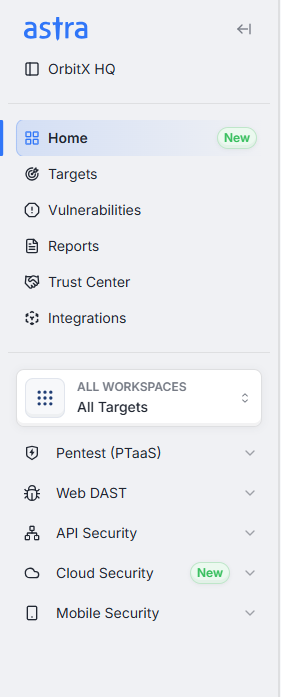
Home: Provides an immediate overview of your current security status.
Targets: Lists every monitored asset – Web, API, Mobile, and Cloud – so you can manage them in one place.
Vulnerabilities: Presents a consolidated list of vulnerabilities across all your targets.
Reports: Lets you generate and review detailed security reports.
Trust Centers: Allows you to configure and share your organization’s security posture externally.
Integrations: Connects Astra Security Dashboard with your existing tools and workflows.
This menu remains visible no matter which product or target you are exploring, so you can always access these functions.
Target Switcher
Below the main menu, you’ll find the target switcher, which focuses your view on specific workspaces or assets:
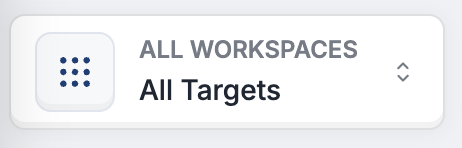
Workspace and Target Selection: You can filter by a particular workspace or choose “All Workspaces.” Within the selected workspace, you can pick individual targets – APIs, Web apps, Mobile apps, or Cloud – or choose “All Targets” to include everything.
Search, Sort, and Type Filters: A search bar at the top lets you quickly locate a workspace or target by name or email. Additional controls enable sorting and filtering by type.
Multi‑Select Capability: Checkboxes allow you to select multiple targets at once, and a status bar at the bottom shows how many items are selected. After making your choices, use the “Save Changes” button to confirm.
Selecting targets here automatically updates the product menus below, so you see information only for the assets you’ve chosen. For a more detailed guide on using this feature, please refer to our article on the Target Switcher.
Product Menus
Each security product has its own expandable section. Opening a product reveals specific tools and options relevant to that service. The available products and their sub‑menus include:
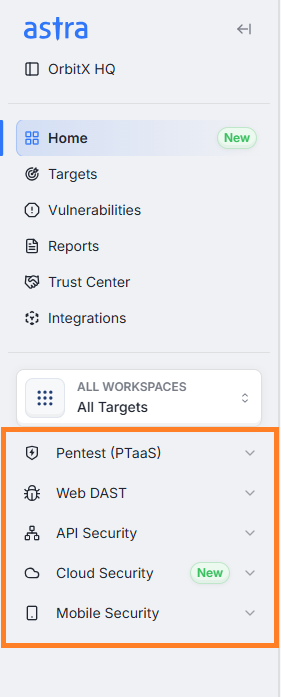
PTaaS (Penetration Testing as a Service):
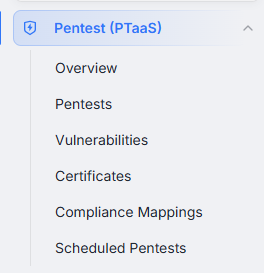
Overview: Provides an immediate overview of your current Pentests status.
Pentests: Manage your penetration testing engagements.
Vulnerabilities: View findings specific to your pentests.
Certificates: Access attestation and certification documents.
Compliance Mappings: Track how findings relate to compliance standards.
Schedule Pentests: Helps you set up and manage manual scans.
Web DAST (Dynamic Application Security Testing):
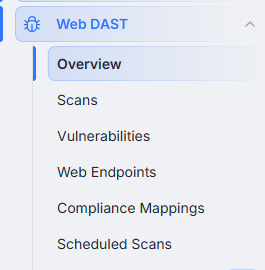
Overview: Provides an immediate overview of your current scan status.
Scans: Launch and monitor dynamic scans for web applications.
Vulnerabilities: Review web-specific issues.
Web Endpoints: View all discovered web endpoints during crawling.
Compliance Mappings: Map web vulnerabilities to compliance requirements.
Schedule Scans: Helps you set up and manage automatic scans.
API Security:
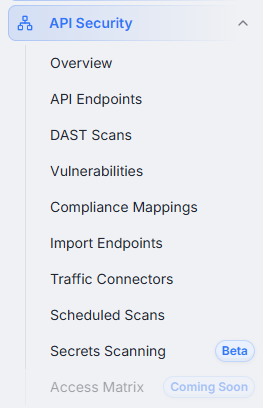
Overview: Provides an immediate overview of your current API scan status.
API Endpoints: Manage and monitor API endpoints and risk classifications.
DAST Scans: Run dynamic security tests on your APIs.
Vulnerabilities: Examine API vulnerabilities.
Compliance Mappings: Map API vulnerabilities to compliance requirements.
Inventory Import: Import your existing API inventories from Postman collections.
Traffic Connectors: Configure traffic connectors for deeper inspection.
Schedule Scans: Helps you set up and manage API scans.
Secrets Scanning: (coming soon): A forthcoming feature.
Access Matrix (coming soon): A forthcoming feature for more granular access control.
Mobile Security:
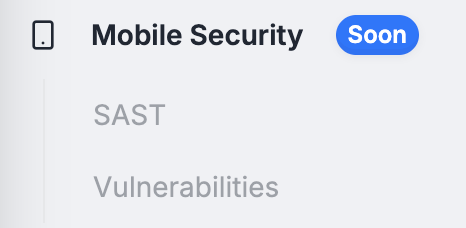
SAST: Perform static analysis on Android and iOS applications.
Vulnerabilities: Monitor and manage issues found in mobile apps.
Cloud Security:
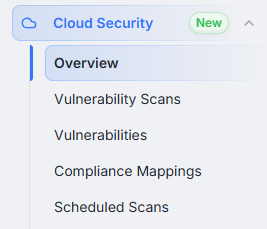
Overview: Provides an immediate overview of your current Cloud Security status.
Security Config Review(Vulnerability scans): Review and strengthen cloud configuration settings.
Vulnerabilities: Track findings related to cloud infrastructure.
Compliance Mappings: Map Cloud vulnerabilities to compliance requirements.
Schedule Scans: Helps you set up and manage Cloud Security scans.
Product menus adapt to the targets you select, so you always see only the relevant tools and data for your chosen assets. Some features are marked as “coming soon,” indicating upcoming capabilities.