How to Change Workspace Ownership?
Last updated: April 22, 2025
Transferring the Workspace Ownership
Transferring workspace ownership allows a different member to take full control over the workspace settings and permissions. Follow the steps below to transfer ownership and change workspace/Astra account owner.
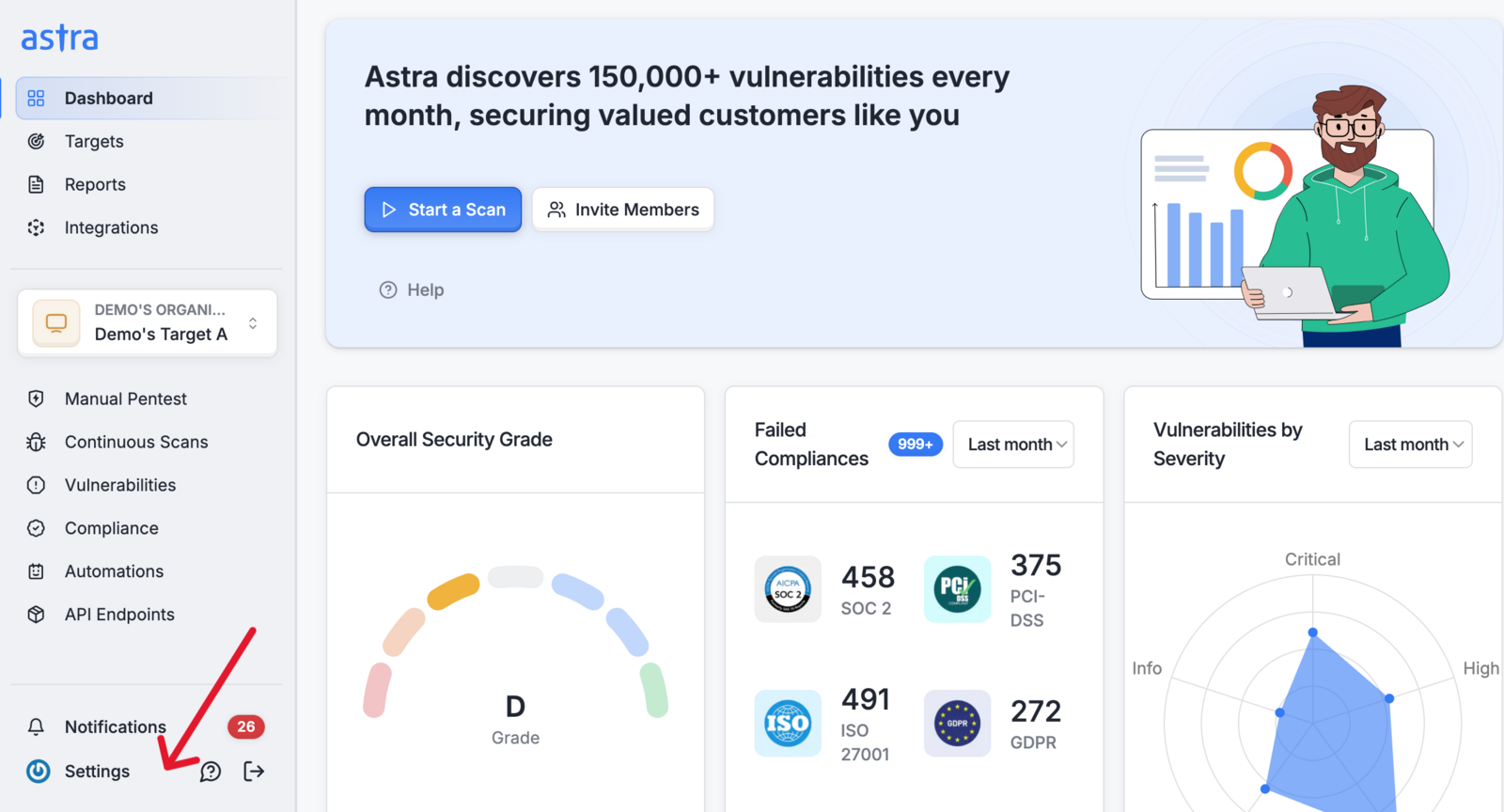
1. Navigate to Members Settings:
From your dashboard, click on the Settings button.
In the Settings menu, select the Members option to access the members list.
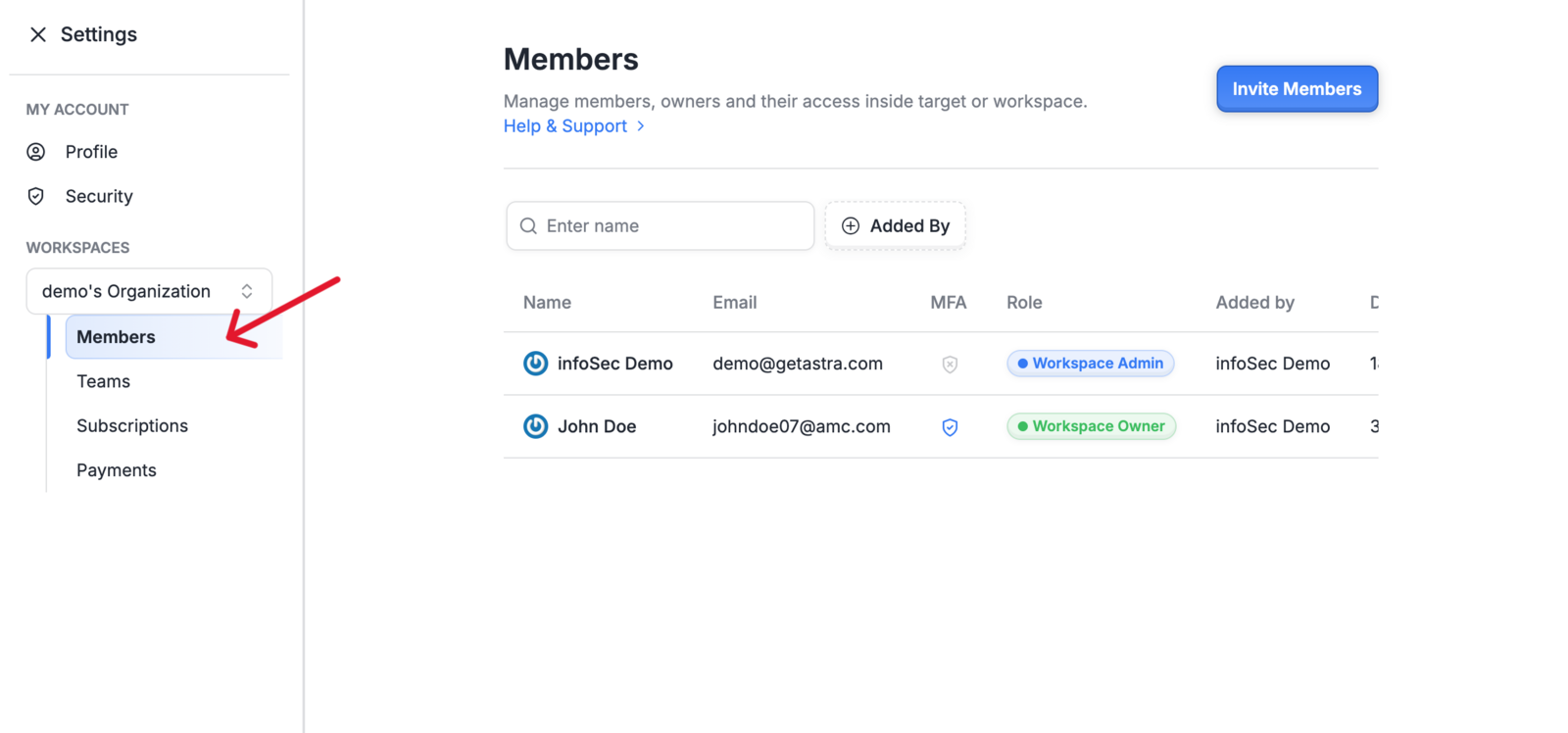
2. Locate the Member
In the Members list, find the user to whom you want to transfer ownership.
Click on the member's name to open the Edit Member Details panel on the right
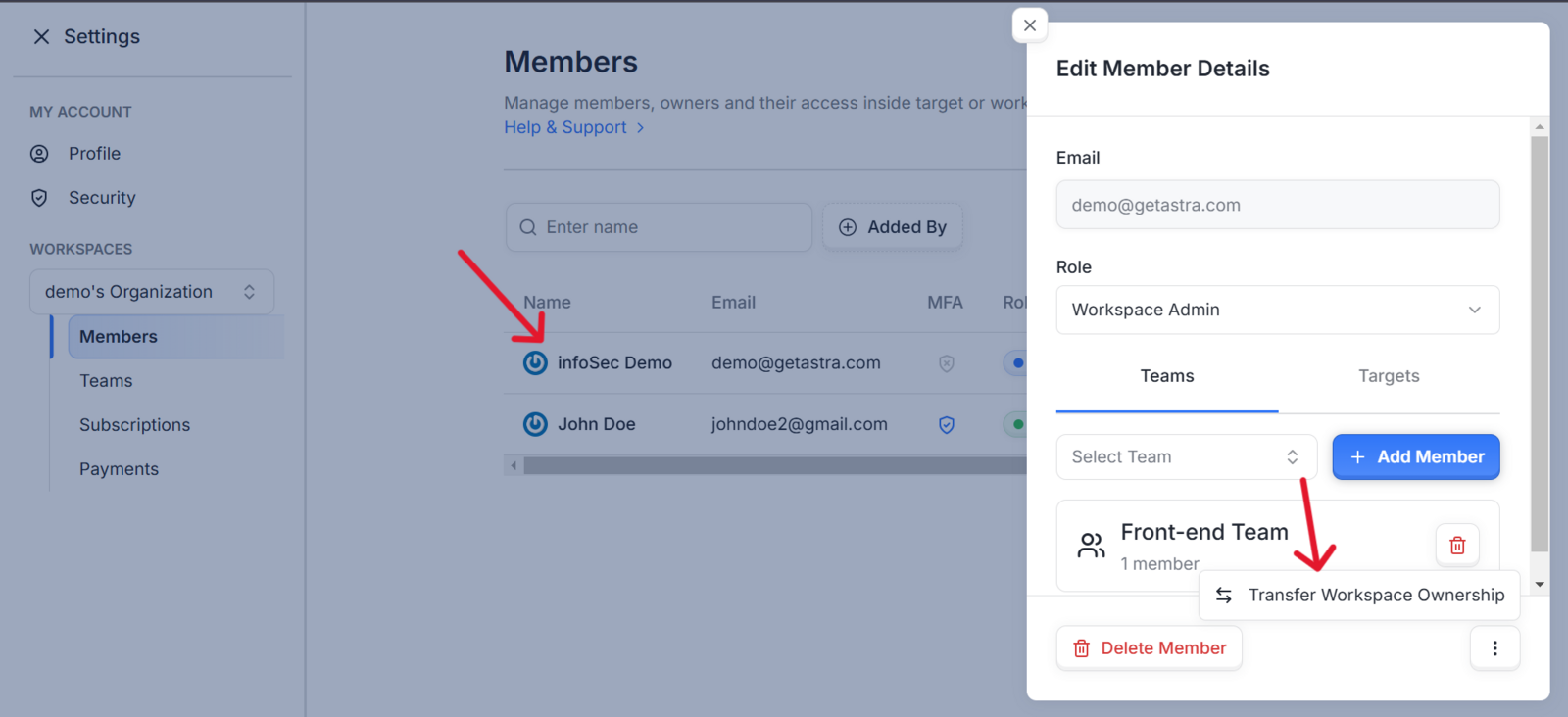
3. Initiate Ownership Transfer
At the bottom of the edit member details panel click on the 3 vertical dots icon button to find the Transfer Workspace Ownership option.
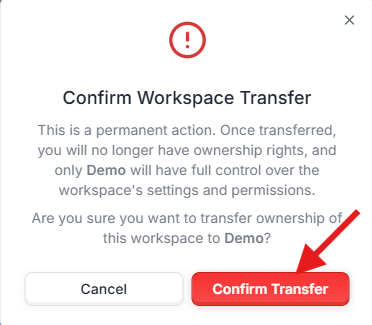
4. Confirm the Transfer
A confirmation window will appear, if you a*re sure, click Confirm Transfer to proceed
5. Complete the Verification.
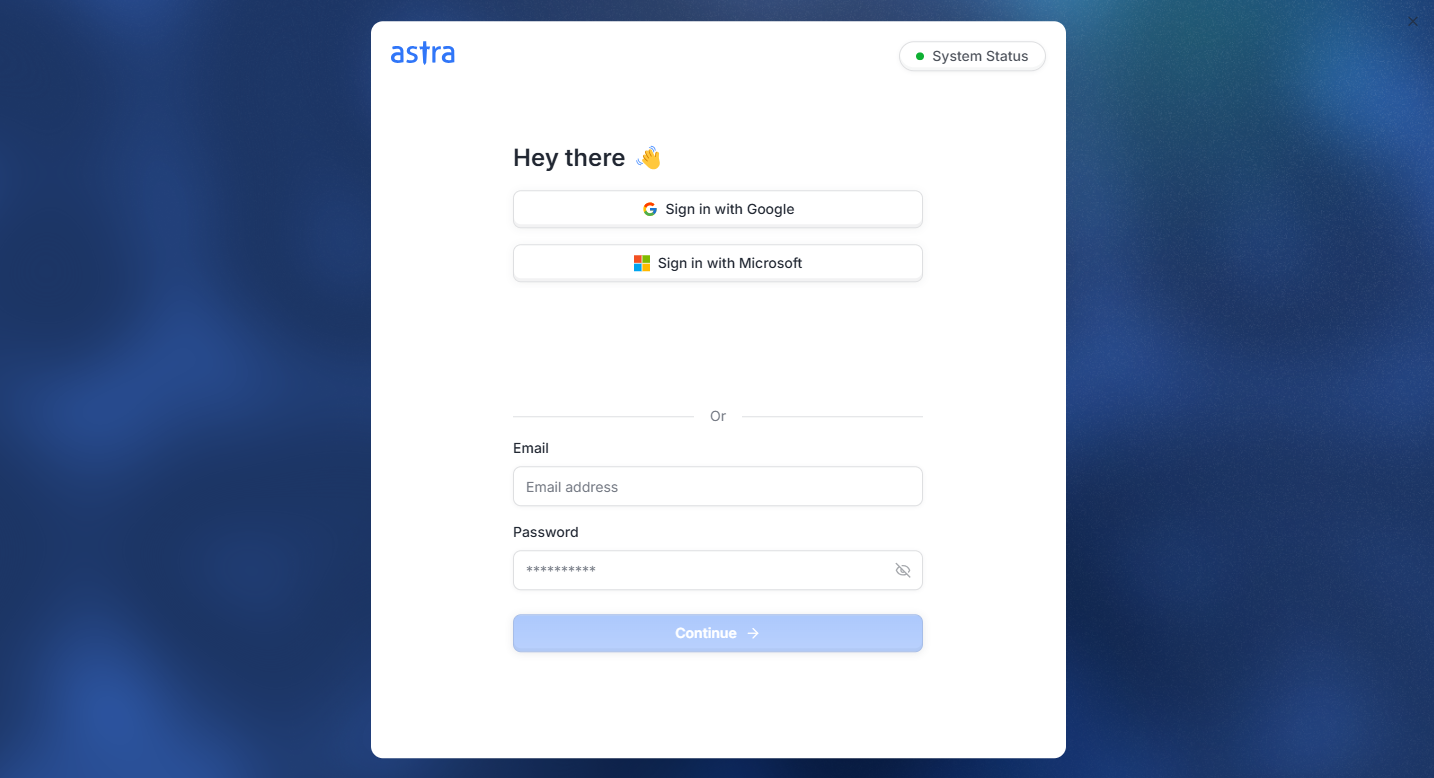
For added security, you'll be prompted to re-enter your credentials.
Enter your login details and click on Continue to complete the ownership transfer.
|| Once the transfer is complete, the old owner will be converted into a Workspace Admin and the New owner will have full control over the workspace, and your access may be adjusted depending on your new role.